
:no_upscale()/https://cdn.b2match.com/uploads/Cover_1e003746ca/Cover_1e003746ca.png)
Product update
More powerful matchmaking with our redesigned Meetings page.
Nov 25, 20252 min read
b2match wouldn’t exist without matchmaking — it’s in our DNA.
That’s why we’re always looking for new ways to make networking easier, clearer, and more meaningful for your participants. Our latest update brings a completely redesigned Meetings page that does exactly that.
A more intuitive networking overview.
Until now, participants could view their meetings by upcoming, to be scheduled, past, or canceled. It worked, but it didn’t always make it easy to act quickly on new meeting requests or get a full sense of their networking activity.
That’s why we’ve reimagined the Meetings page to focus on what matters most: meeting status.
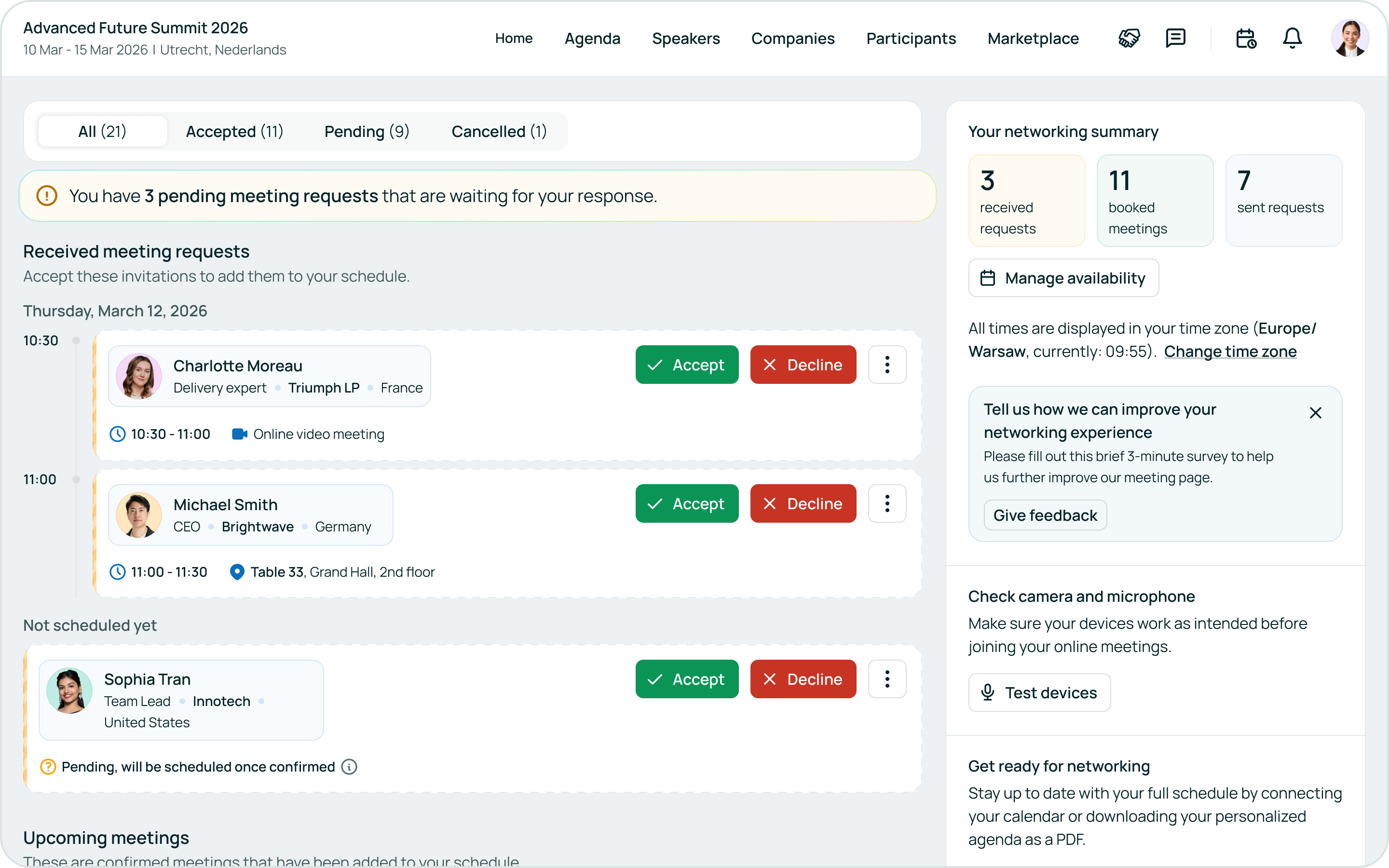
Now, meetings are neatly sorted into accepted, pending, and canceled, with received pending requests always right at the top. This way, your participants won’t need to scroll or search to see if an attendee accepted their meeting request; they can easily track all their networking activity and see actions needed instantly.
Your networking summary — the new power widget.
On the right side of the new layout, you’ll notice the “Your networking summary” widget. This small but mighty addition keeps participants fully aware of their networking progress.
It updates in real-time as an attendee engages in networking, showing:
- How many meetings they have booked
- How many meeting requests are still pending
- How many meeting requests they’ve sent
- How many meetings they have rated
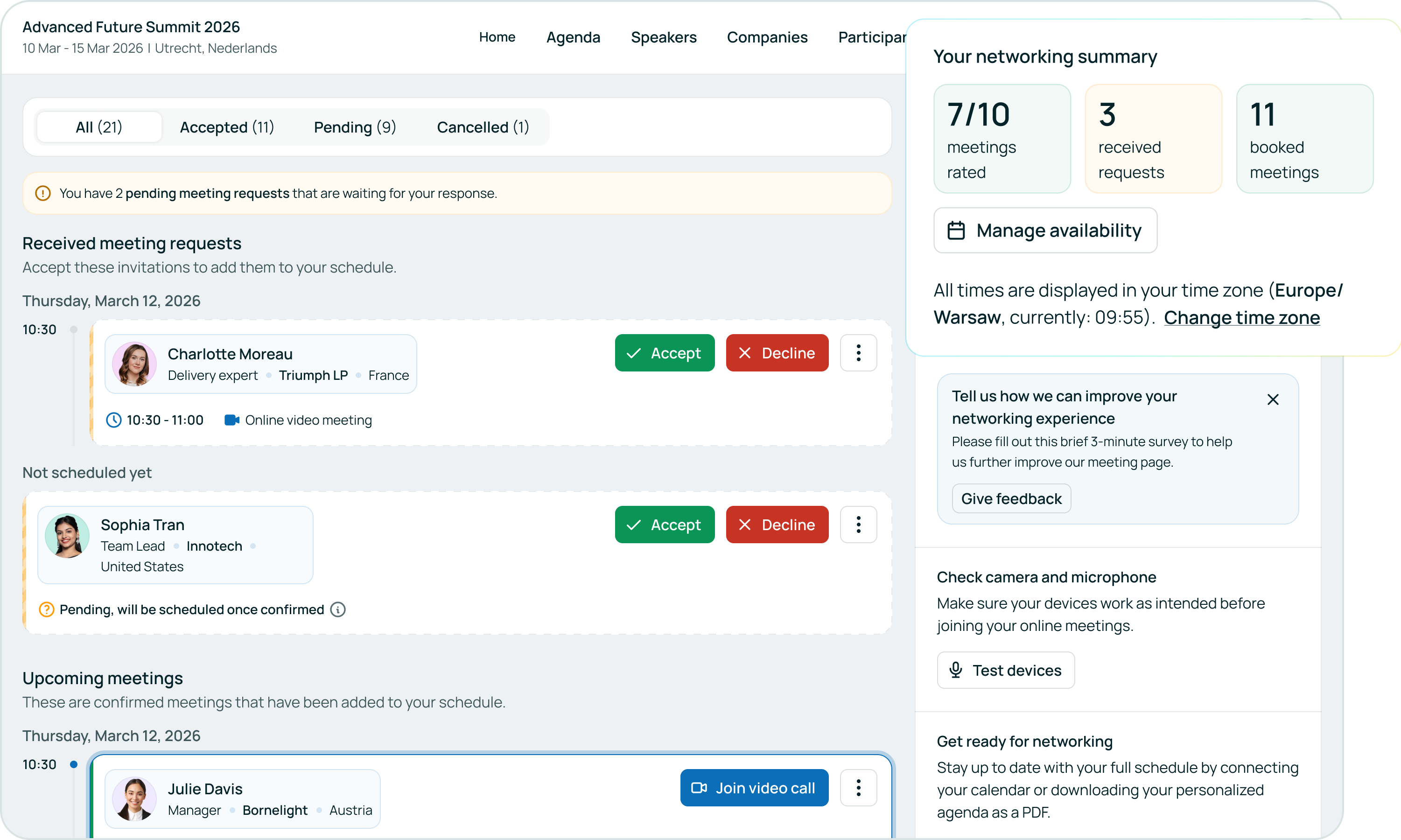
Plus, it provides quick access to manage their availability or test their camera and microphone before joining online meetings. This combination of clarity, control, and connectivity makes it easier than ever for participants to match, meet, and make meaningful connections.
A smarter way to stay organized.
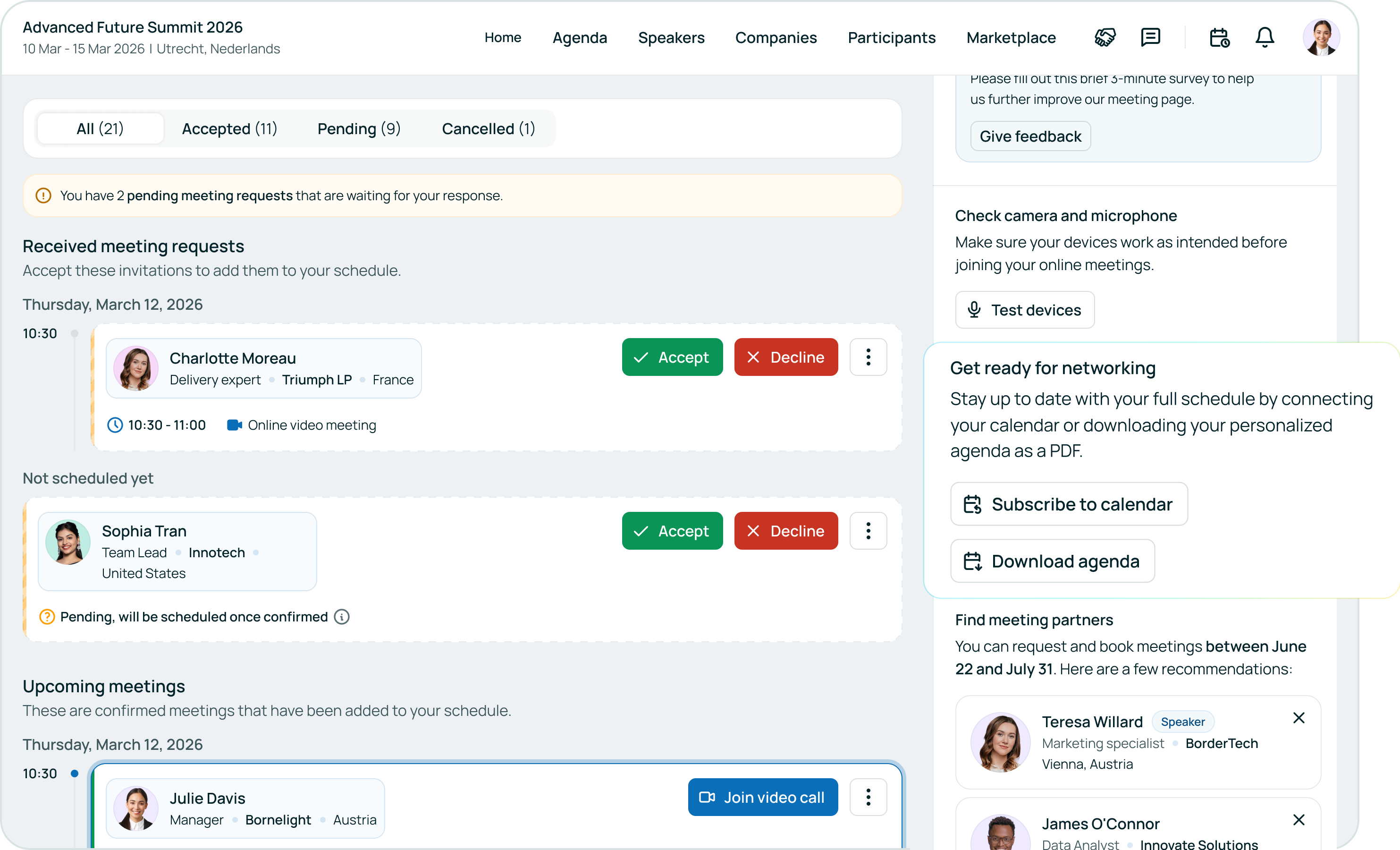
To make event planning even smoother, participants can now download their agenda as a PDF directly from the Meetings page. Their personalized meeting overview is always one click away, perfect for a printable copy or a quick offline reference. Or if they prefer to go digital, they can connect their digital calendar with their b2match agenda with one simple click on the “Subscribe to calendar” button.
Designed for better matchmaking.
These updates aren’t just about looks — they’re about function. By improving visibility and simplifying the meeting management process, we’re empowering participants to make the most of their networking opportunities at your events.
The redesigned Meetings page is available in all newly created events.