
:no_upscale()/https://cdn.b2match.com/uploads/Cover_26e750802b/Cover_26e750802b.png)
Product update
Create the perfect registration flow for your events!
Dec 29, 20253 min read
First impressions matter. For events, that first impression happens long before attendees walk through the door. It starts with registration.
A clear, intuitive, and well-structured registration form sets the tone for the entire event experience. It shows professionalism, builds trust, and makes attendees feel confident about taking part. With the new b2match Registration Form Builder, event organizers can shape that first touchpoint exactly to their event’s needs, without dealing with complicated setups or technical barriers.
Here’s what’s new, and how it helps you create a smoother, smarter registration experience.
Design the registration you need: drag, drop, done.
Creating a well-structured registration flow should not require technical skills. With the enhanced drag-and-drop builder, you can design your registration form visually and intuitively.
You can:
- Personalize participant and organization forms with only the questions that matter
- Reorder fields instantly by dragging them into place
- Remove unnecessary fields with one click to keep the form clean and focused
- Add structured steps to break longer forms into smaller, more digestible sections
For attendees, this results in a registration process that feels effortless and modern. For organizers, it means a form that fully supports the event’s goals.
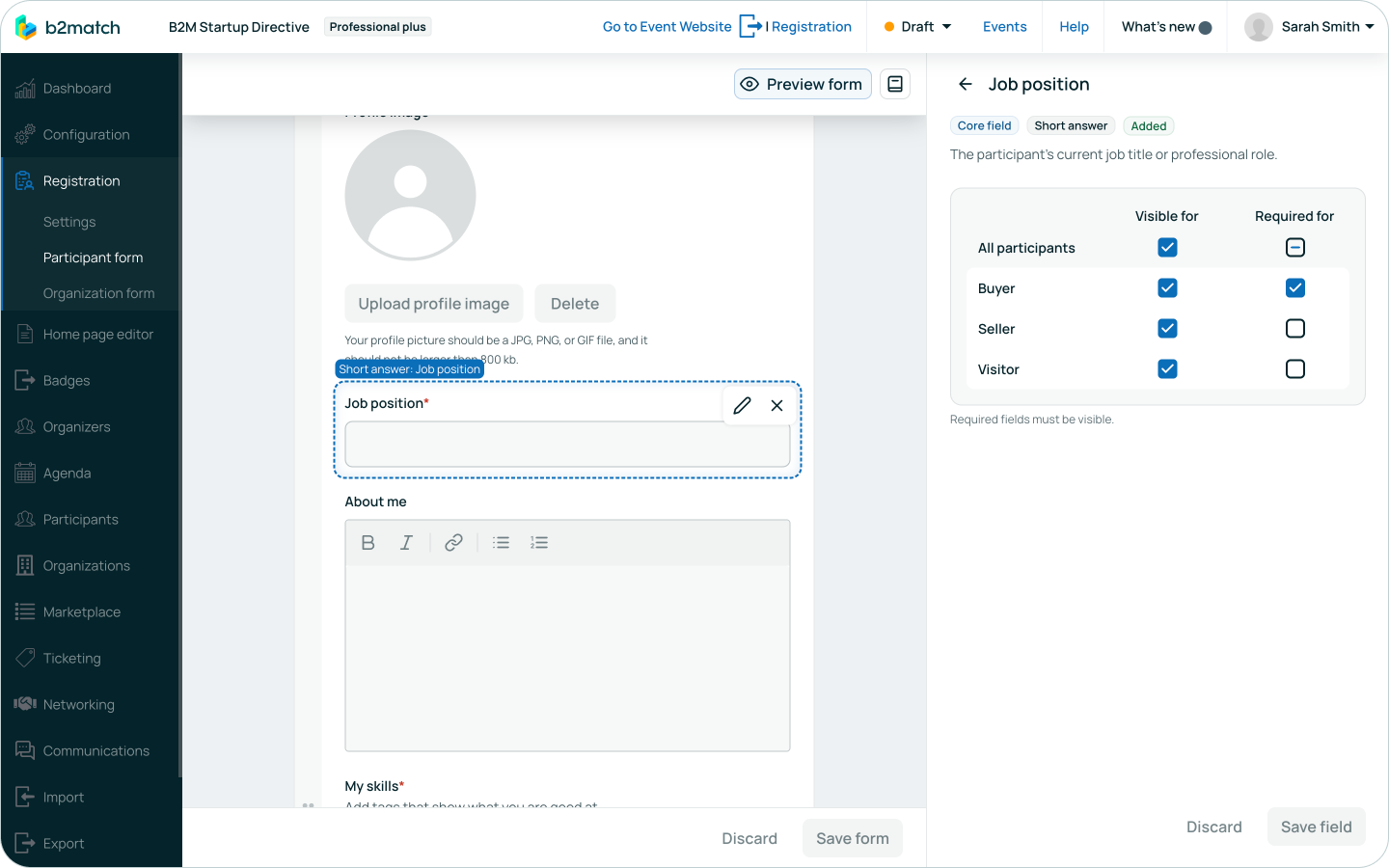
A well-structured registration form helps reduce drop-offs, as attendees are far less likely to abandon a form that feels clear and manageable. The flexibility of the form builder allows you to find the right balance between collecting essential data and keeping registration friction low.
From simple forms to robust registration processes.
Every event is different, and so are its data needs. That is why our event registration software now includes 14 custom field types, replacing the older custom question setup.
These custom fields allow you to shape your registration form around your event, instead the other way around.
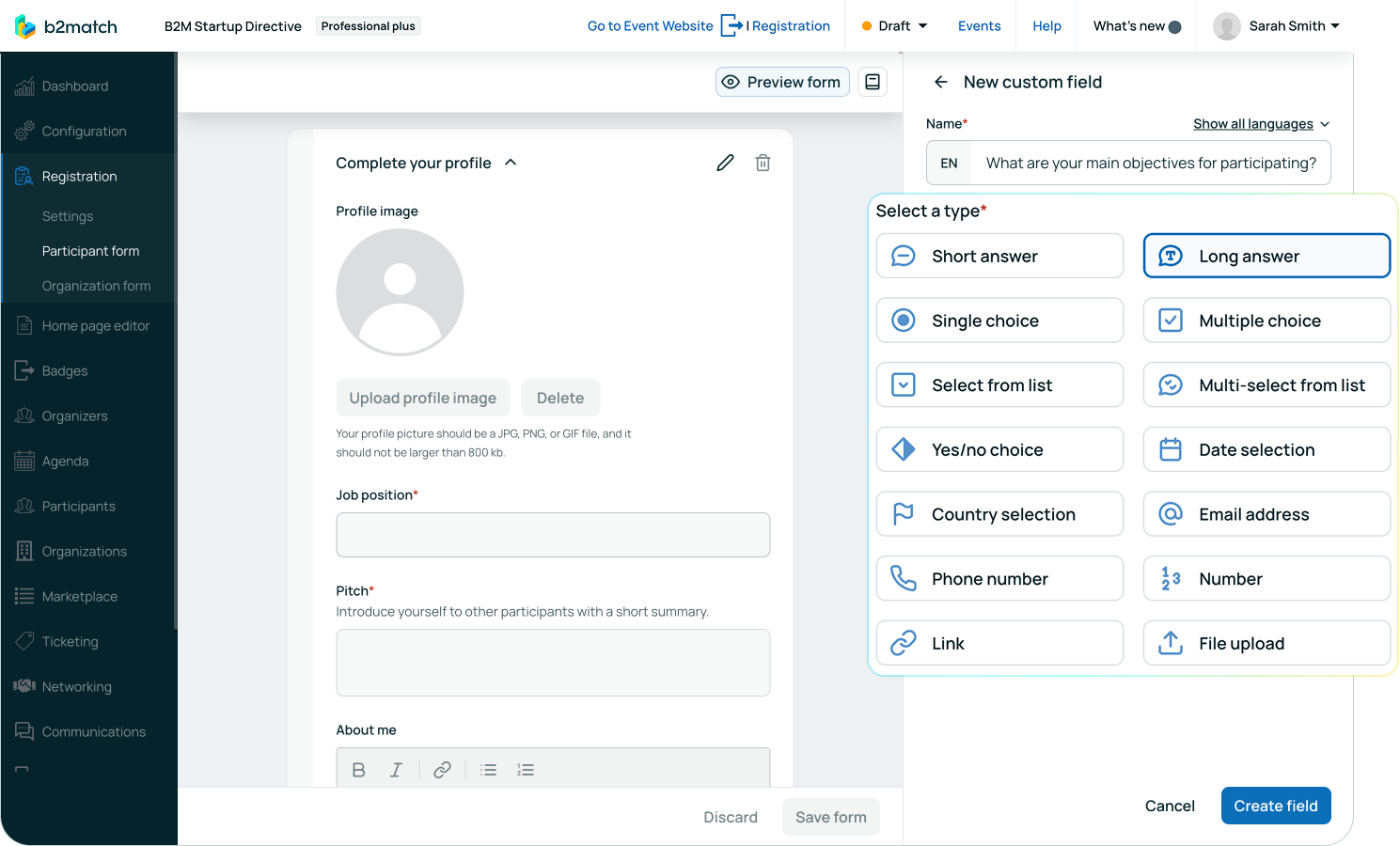
You can ask participants for information using the format that makes the most sense, including:
- Single or multiple choice questions with editable options
- Dropdowns and multi-select lists for structured data
- Yes or no questions, dates, numbers, email addresses, and phone numbers
- File uploads for documents, presentations, or compliance materials
- Social media and website links to enrich attendee profiles
Each custom field can be configured for visibility and required status. When relevant, it can also be used as a filter on participant and organization lists. This makes it easier for attendees to discover relevant profiles and supports more meaningful matchmaking.
However, not every event needs a highly customized registration form. For simpler use cases, the system already provides a default form with the most common "core" questions, such as job position, organization name, biography, or country.
Real-time preview for total confidence.
Before publishing your form, you can preview the full registration flow as seen by different participant groups to confirm that everything looks and works exactly as intended, long before registration opens.
If your event welcomes an international audience, your registration form should reflect that. The registration is supported in all languages enabled for your event, making it easy to create a fully localized registration experience for attendees from different regions.
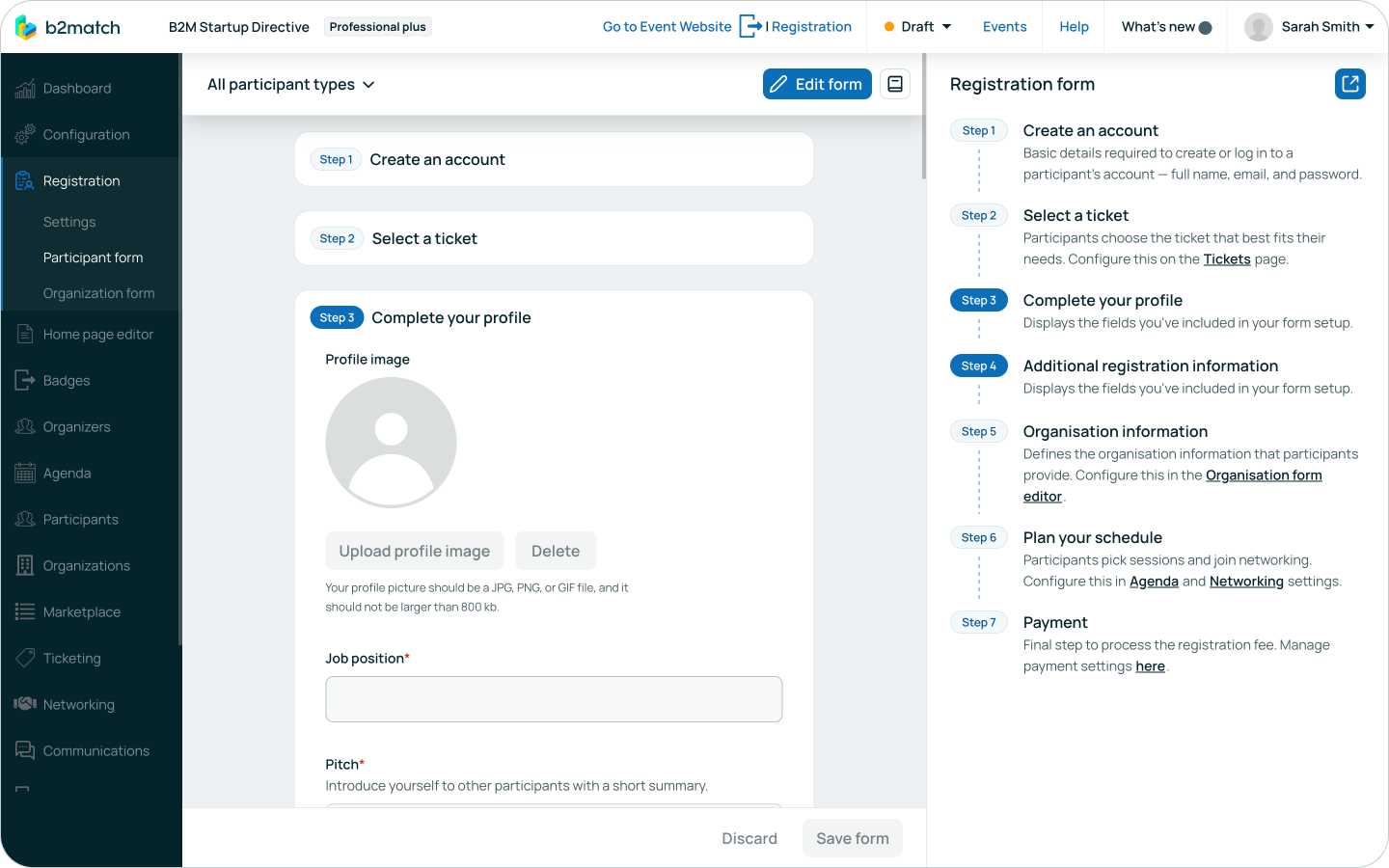
Why does it matter? A well-structured registration form is the foundation of a successful event. It needs to collect the right information without overwhelming potential attendees, helping reduce abandoned registrations while setting expectations from the very first interaction. Your registration process is now fully customizable, multilingual, and designed to support the entire event lifecycle, starting with a strong and welcoming first impression.
The Registration Form Builder is now available in all newly created events.