
Product update
Help attendees meet the right people with Smart Matching!
Nov 4, 20263 min read
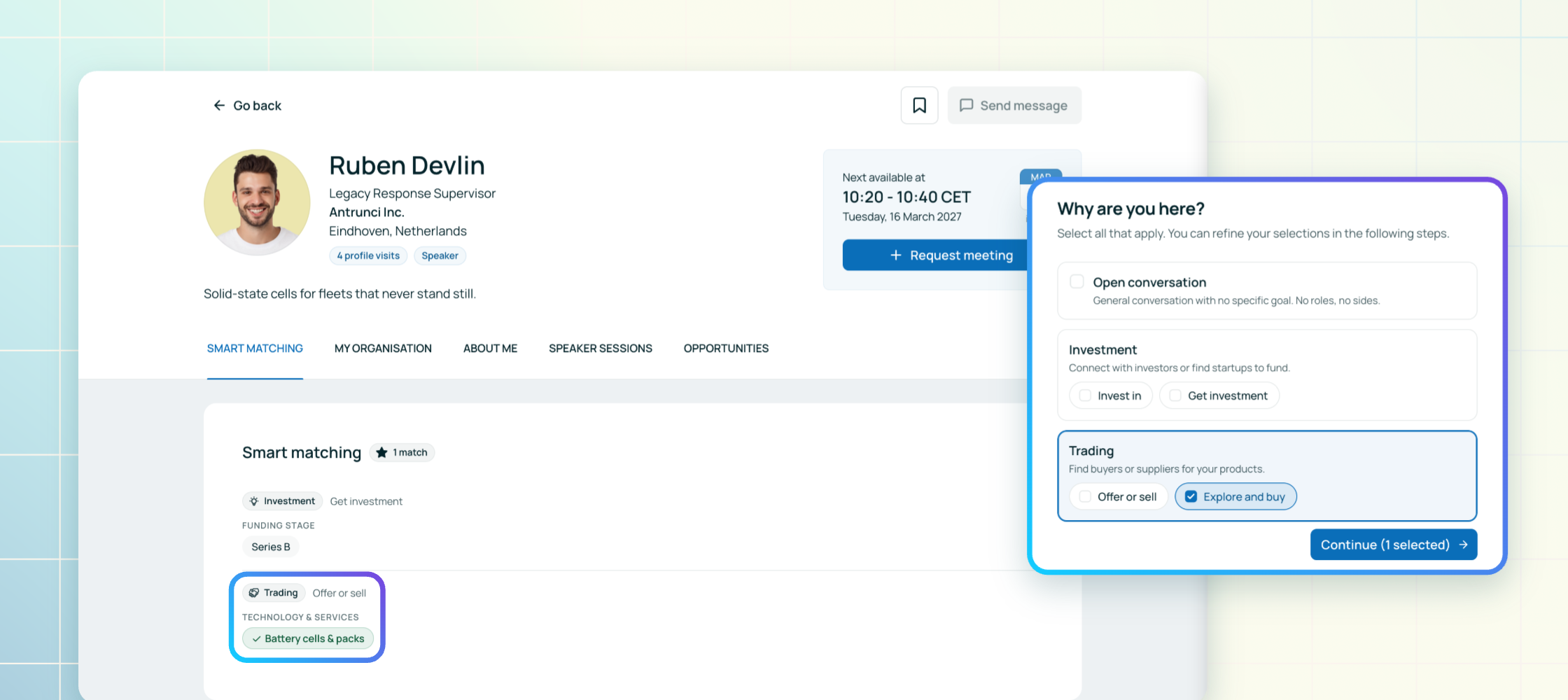
Every organizer knows the profile that says everything except what someone actually wants. A job title, a company, a list of interests, and still no idea whether this person came to raise money, hire a developer or find a new supplier. So attendees scroll, guess, and send meeting requests to people who were never looking for them.
That guesswork ends today. Meet Smart Matching.
Two minutes to say why they came.
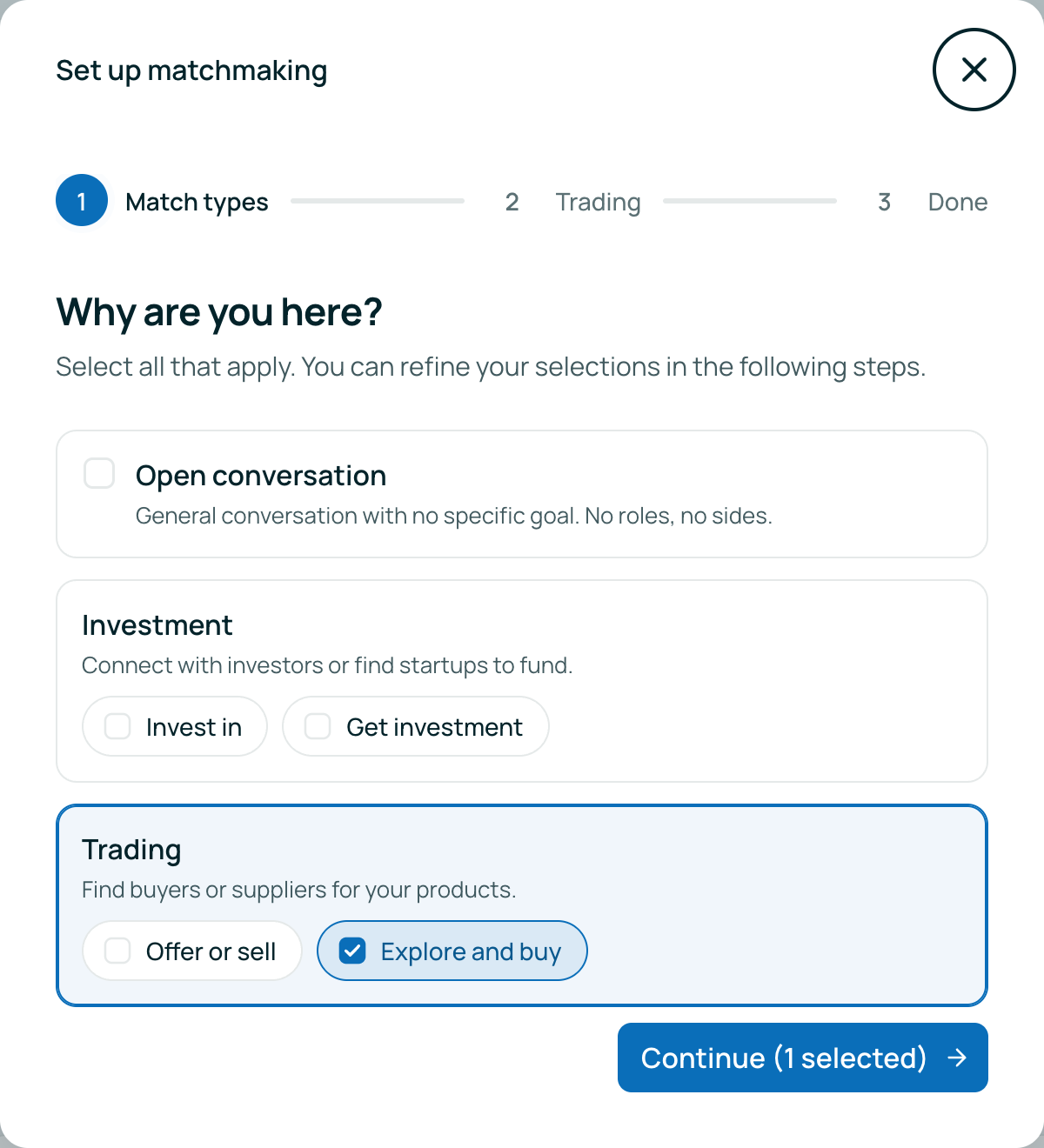
Smart Matching asks participants directly. A short setup on the event website or in the mobile app starts with one question, "Why are you here?", and then lets each person pick what they are looking for under every goal they chose. It takes about two minutes, it's optional, and it uses the criteria you set for your event, not a generic list.
The result is something profiles never gave you: every participant's goals, stated in their own words, on your terms.
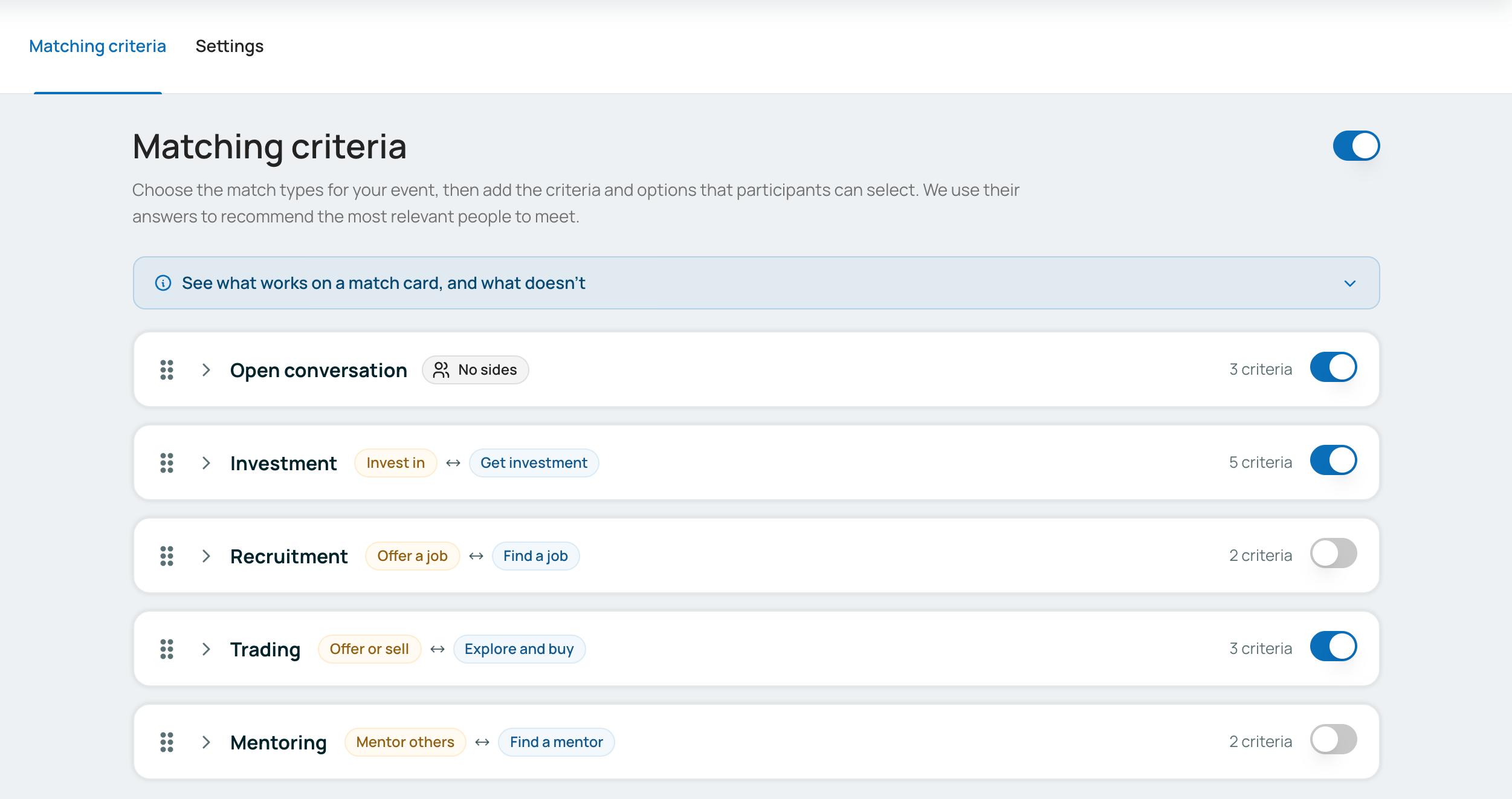
Start from a template, make it yours.
You'll find everything under Networking → Smart matching. Five match types are ready to go: Open conversation, Investment, Recruitment, Trading and Mentoring. Each comes with example criteria you can edit, rename or replace so they fit your audience. When you're happy with the setup, flip the toggle next to "Matching criteria" and participants can start answering.
Matches with a direction.
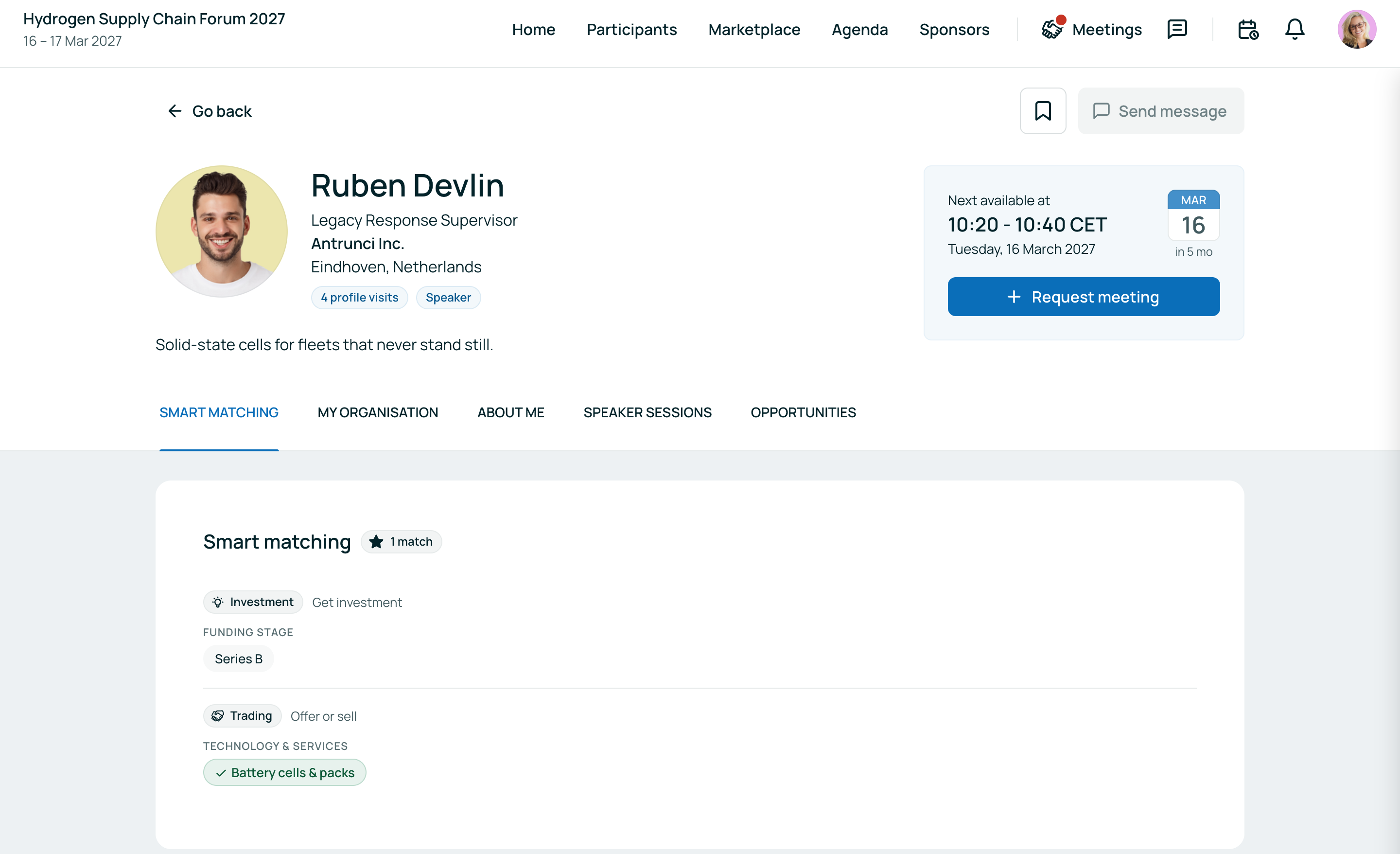
Two people ticking the same word doesn't make them a good meeting. Smart Matching understands which side of the table each person sits on. Investors meet founders who are looking for investment. Buyers meet sellers. Mentors meet the people who want mentoring. That's how you get matches with a direction, not just matching keywords.
Common ground, visible at a glance.
In the mobile app, participants see a "matches" badge on people in the participant list, showing how much they have in common. On the website and in the app, every profile also gets a Smart matching section that spells out exactly what the two of them share. Deciding who to contact takes seconds instead of a full read through every profile. The reminder email for participants who still have meetings to book now brings up to three of these people to their inbox, with what they matched on, and you set when it goes out in your notification settings.
Recommendations that explain themselves.
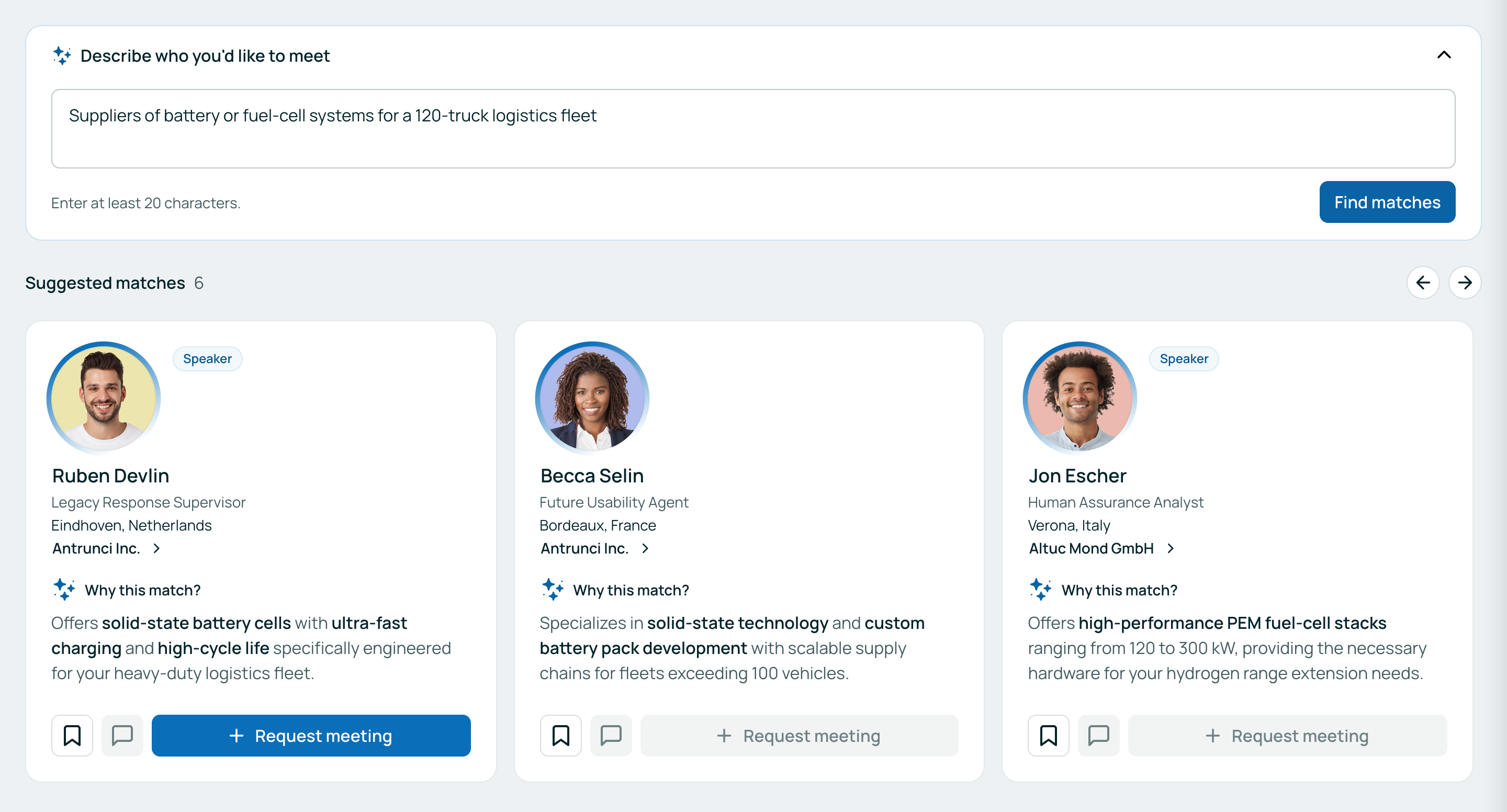
With AI, Smart Matching goes a step further. Each participant gets personal recommendations of the people most worth meeting, with a reason for every one under "Why this match?". Their shortlist lives on a My recommendations page. On the event website and in the mobile app, participants can also describe who they want to meet in a sentence, "Describe who you'd like to meet", and get matching people back.
You stay in control of all of it. The AI recommender and AI-powered search each have their own switch on the Settings tab. On events whose main language isn't English, the reasons are written in your event's language.
Why it matters.
Good networking starts with knowing what people want. Smart Matching gives you that in two minutes per participant, and turns it into introductions that make sense for both sides. Your attendees spend less time scrolling and more time in meetings they actually wanted, and you get an event where the right people find each other without you playing matchmaker by hand.
Getting access.
Smart Matching, AI recommendations and AI-powered search are available on all plans for newly created events, with no add-on needed. To get started, open Networking → Smart matching, adjust the match types to your event and turn it on. Questions? Reach out to your b2match contact.
Profiles tell you who someone is. Smart Matching tells you why they came.