
:no_upscale()/https://cdn.b2match.com/uploads/Company_booths_Cover_ea9d8729b4/Company_booths_Cover_ea9d8729b4.png)
Product update
Give every exhibitor a booth of their own!
Sep 4, 20264 min read
Every organizer running an exhibitor floor has done this: create a meeting point called "Microsoft," realize three more Microsoft reps need one too, and end up juggling "Microsoft," "Microsoft 2," and "Microsoft (overflow)" scattered across the schedule. It works, technically.
It's also fragile, confusing on-site, and one bad copy-paste away from a representative's meetings landing on the wrong table entirely.
That workaround is retired today. We're introducing Company Booths.
One booth per company, always.
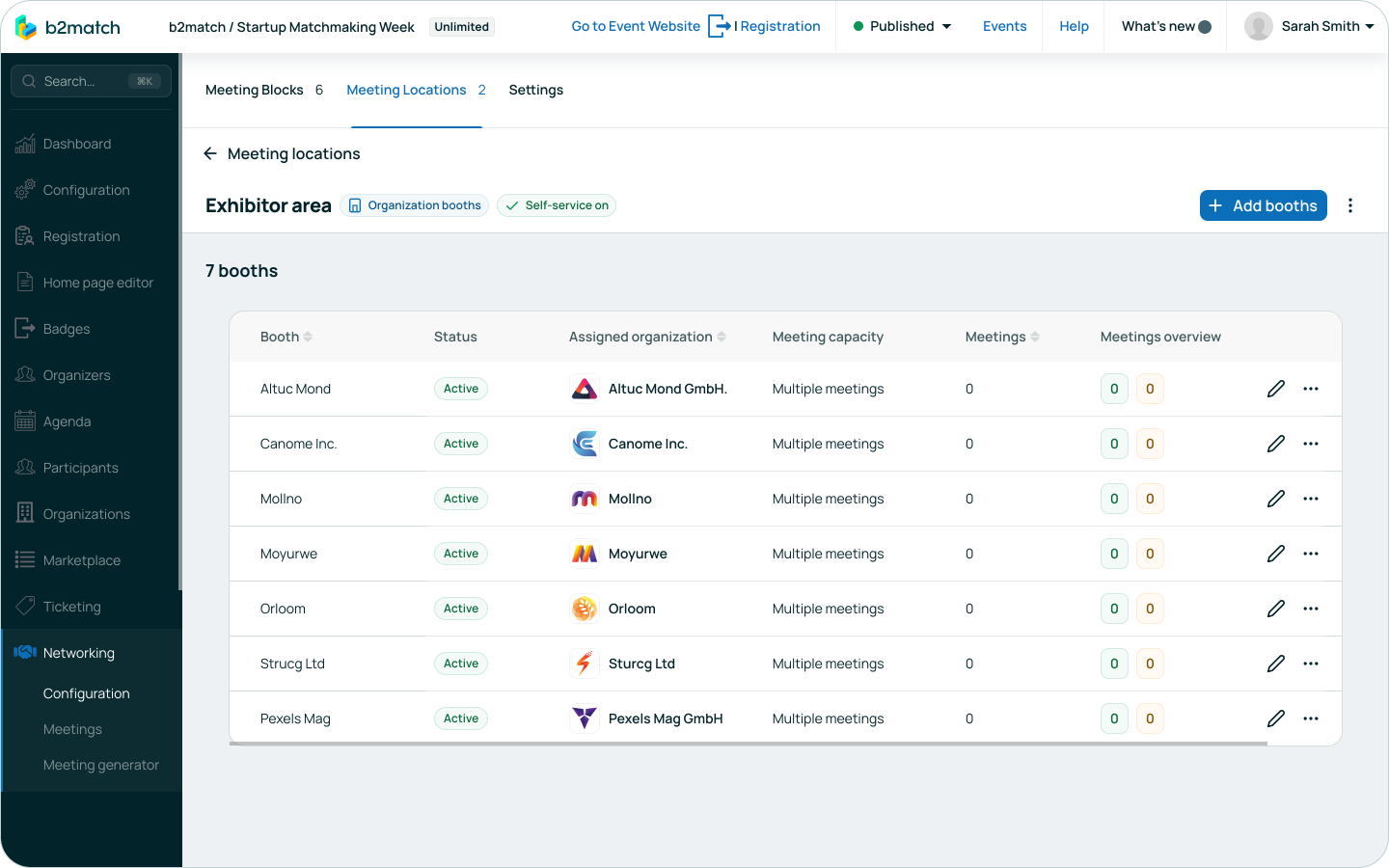
A booth is now a proper meeting point that belongs to a company, not a naming convention you have to maintain by hand.
Assign a company to a booth once, and every one of its representatives is automatically scheduled to meet there. No per-person setup, no duplicate points to keep in sync, no risk of someone slipping through the cracks.
Booths start as empty shells you can prepare ahead of time, using placeholder names like "Booth #1" or "Booth #2," then get assigned to a company as exhibitors confirm.
A booth with nobody assigned stays inactive and out of the way; the moment a company lands on it, it goes active and ready to host meetings.
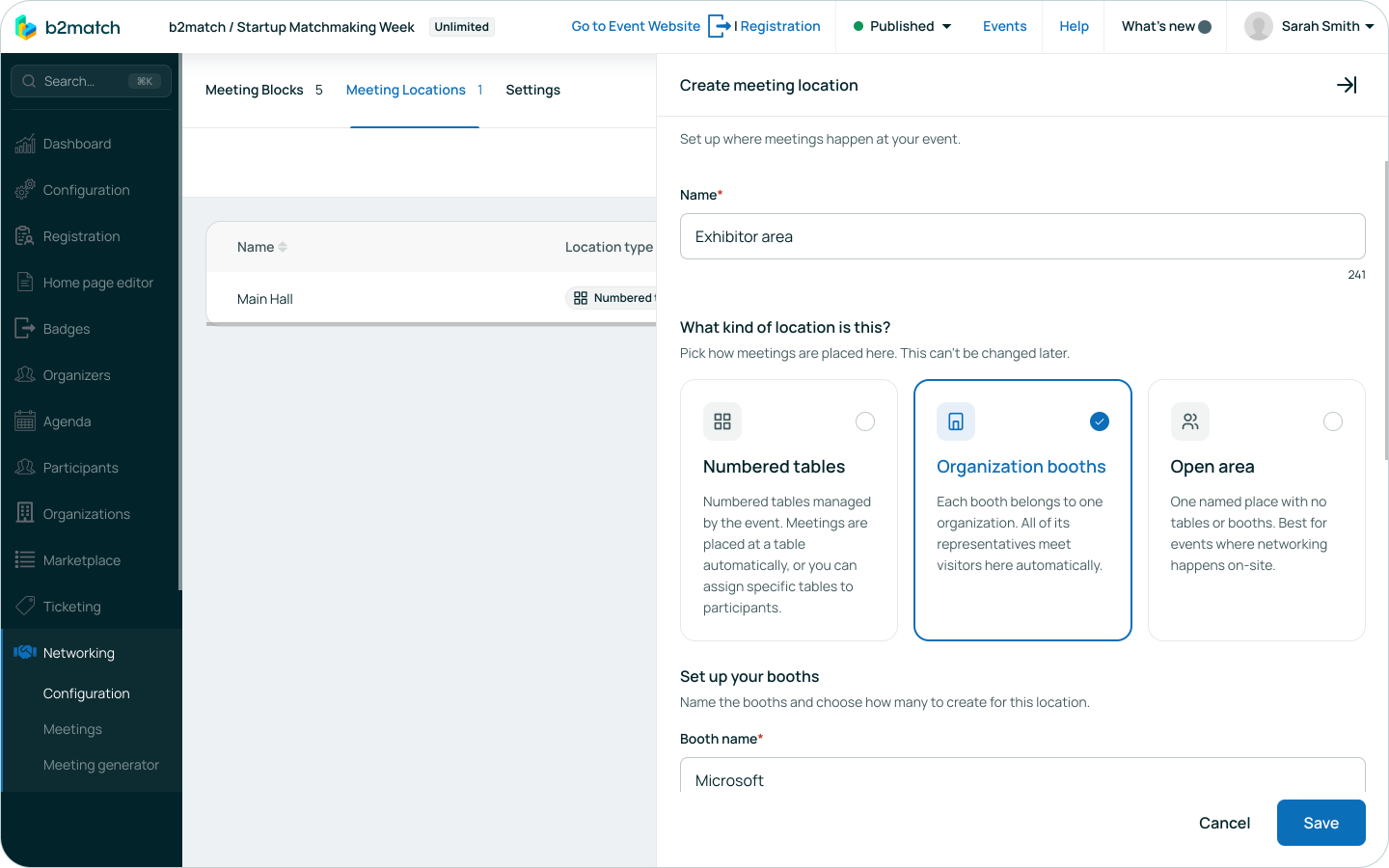
Exhibitors can claim their own booth.
Organizers can turn self-service on for a booth location, so they're not the one assigning every company by hand. Turn it on only for the participation types that should get it, like Exhibitor.
From there, the first representative from each exhibiting company can claim an open booth themselves and give it a name, right during registration. They can rename it or move to a different booth later too, as long as no meetings are booked there yet.
For an event with a hundred exhibitors, that's a hundred booths organizers don't have to create and assign by hand.
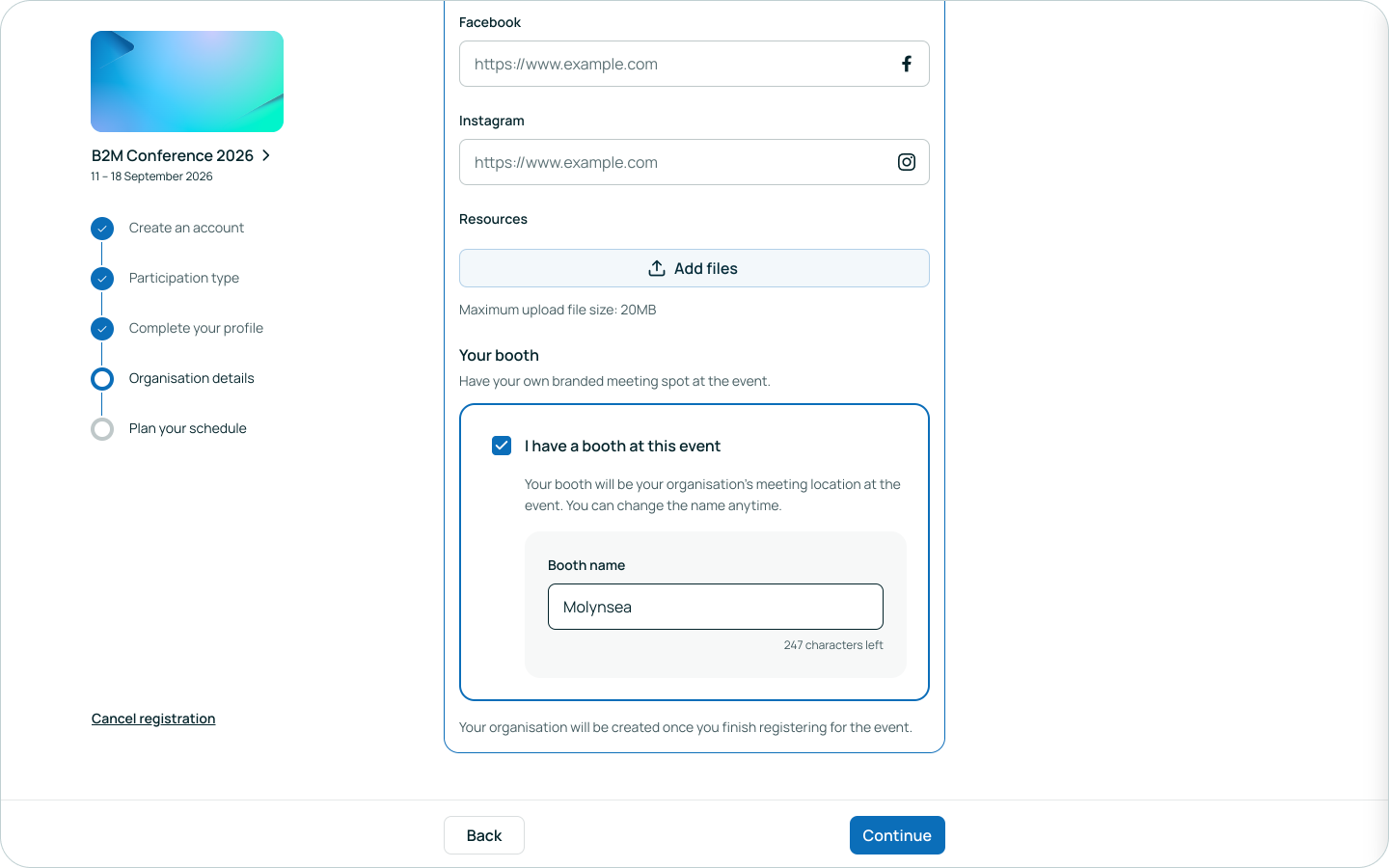
Representatives come and go. The booth doesn't move.
Add a representative to an exhibiting company, and they inherit that company's booth the moment the company itself is confirmed, whether their own registration is finished or not.
A meeting always uses a representative's own assigned meeting point if they have one, and the company booth otherwise, so most representatives never need a point of their own again.
Someone leaves the company? Their booth link disappears just as fast, and they fall back to standard scheduling. Meetings that already happened are never rewritten. They stay exactly where they were booked.
Built for more than one desk.
We built this after watching a real event try to solve it manually: one booth, one table, but three or four representatives from the same company all wanting to take meetings there at the same time. Company Booths handles that natively.
Every booth has a meeting capacity setting: Single meeting, for a single-desk booth where one meeting happens at a time, or Multiple meetings, for a bigger stand where each staff member can run their own meeting simultaneously.
You still call the shots.
A booth can be freely reassigned to a different company as long as it's still empty of meetings. Once meetings are booked there, the assignment locks: move or cancel those meetings first, and only then can the booth change hands. That way nobody's schedule gets rewritten out from under them.
Manually reassign a single representative to a different table, and that choice sticks, even if the rest of their company gets reassigned later. And booths show up in the Meeting Manager much like any other meeting point, so rescheduling a booth meeting takes little new training.
Whether a booth's name and location appear on the company's public profile page and the participant profile is a single toggle per meeting location ("Show booths on profiles"). It's on by default, and easy to turn off for organizers who'd rather keep booth details for on-site signage only.
Either way, everyone with an actual meeting there still sees exactly where to go, in their personal schedule.
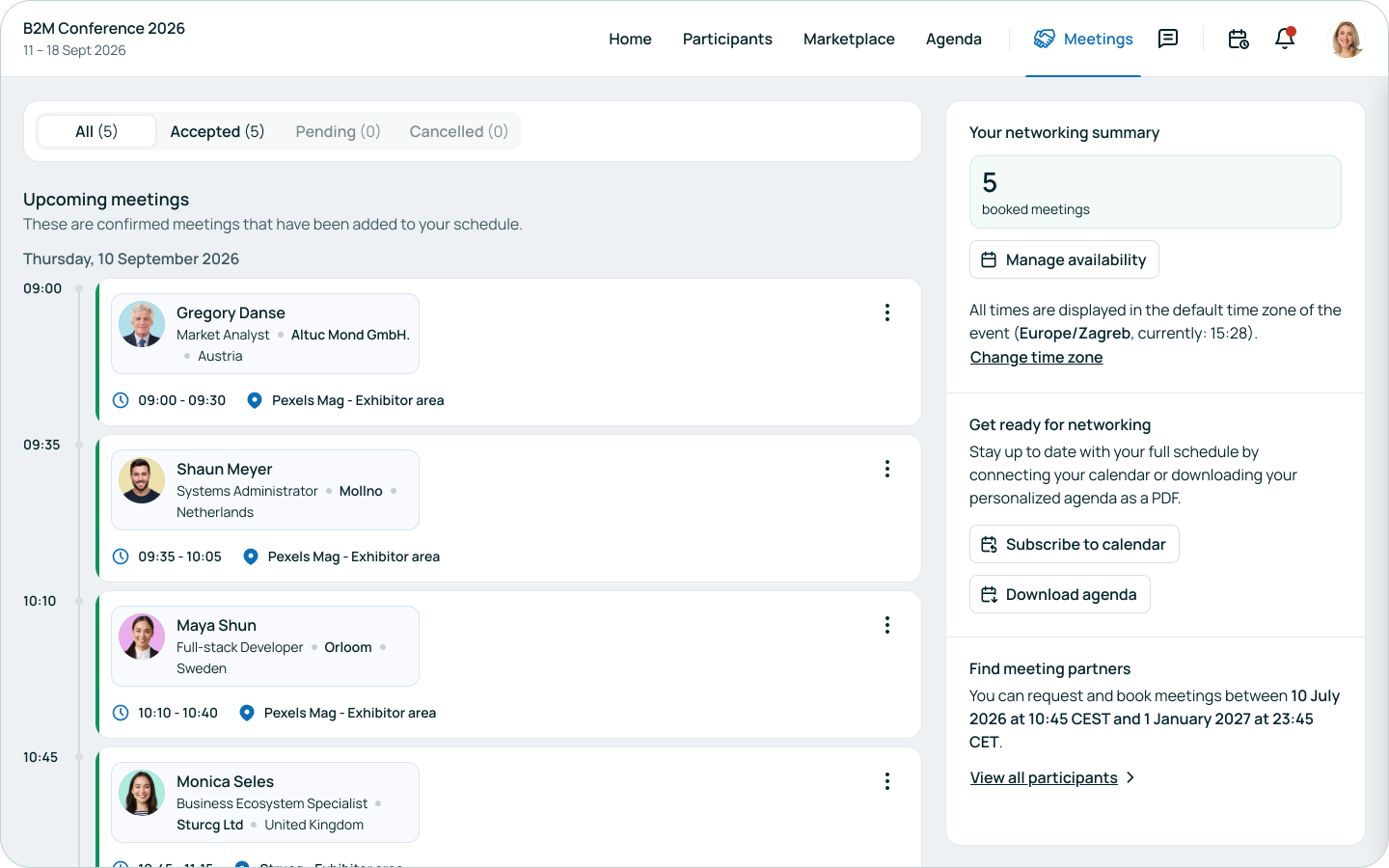
Why it matters.
A predictable exhibitor floor is the difference between attendees confidently finding their meetings and a chaotic hunt for "which Microsoft table is this."
Company Booths closes a workaround organizers have been living with for years, gives exhibitors a way to claim their own spot without waiting on an admin, scales cleanly whether you're managing five exhibitors or five hundred, and slots straight into tools your team already knows: the Meeting Manager, the company profile page, the participant schedule.
Company Booths are available on Professional Plus licenses and above, and through the Exhibitors & Sponsors add-on. To start using it, create a booth location under Networking > Locations by picking the booth type, mark it self-service eligible if you want exhibitors to claim their own, and begin assigning companies.
Not sure what your event's package includes? Reach out to your b2match contact.